
Native WordPress runtime execution with 0 SaaS latency.
100% unencrypted code. Inspect, extend, and deploy freely.
Tested against WP 6.7+ & Gravity Forms 2.9+ core.
Gravity Forms Integrate OneDrive Plugin
Connects forms to Microsoft OneDrive. Automatically upload submissions and file attachments.
Unlock All 2,720+ Products Across 10 Ecosystems for $199/yr
Unlimited sites, future releases & priority support.
Core Capabilities
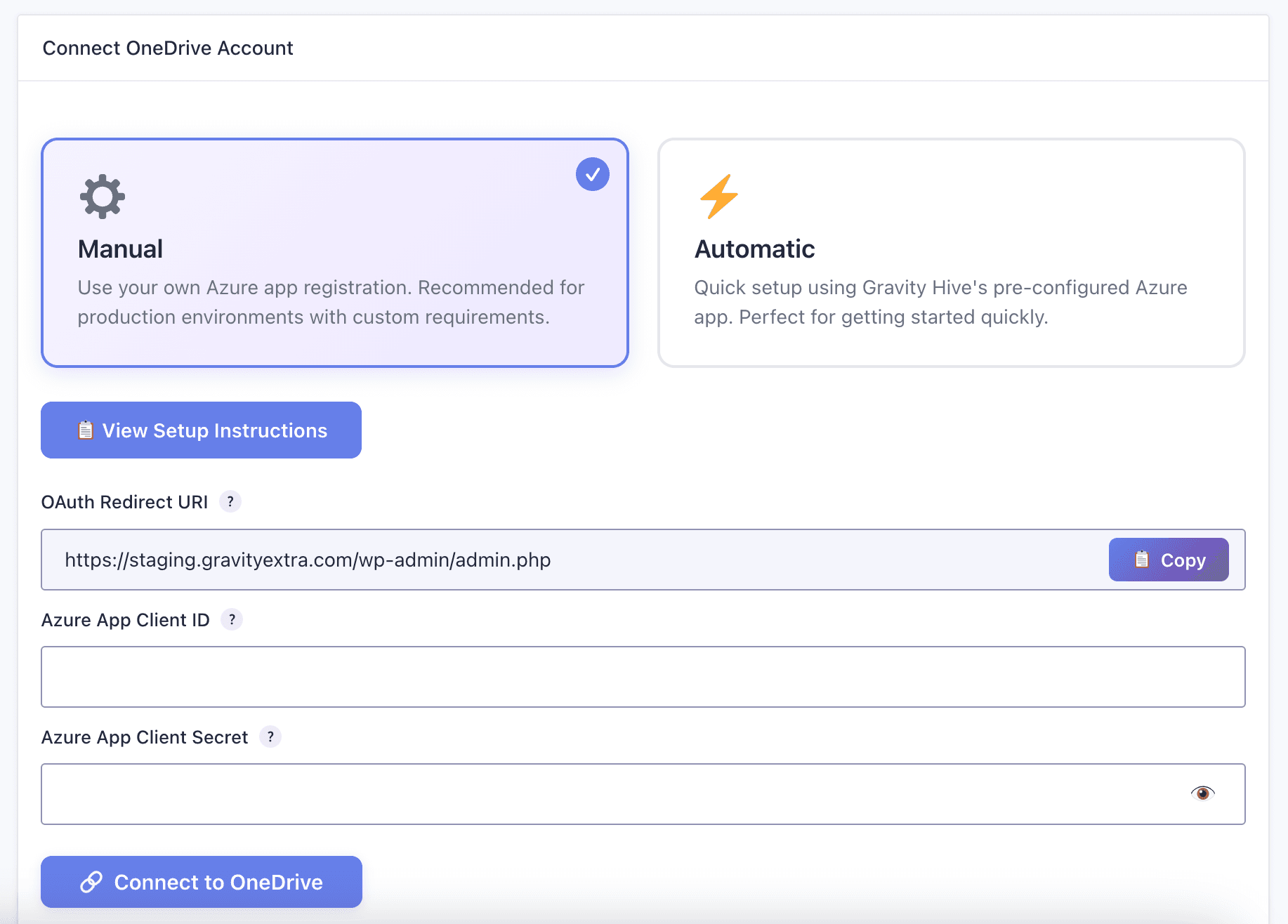
- Secure OAuth Connection (Manual or Automatic Azure App registration)
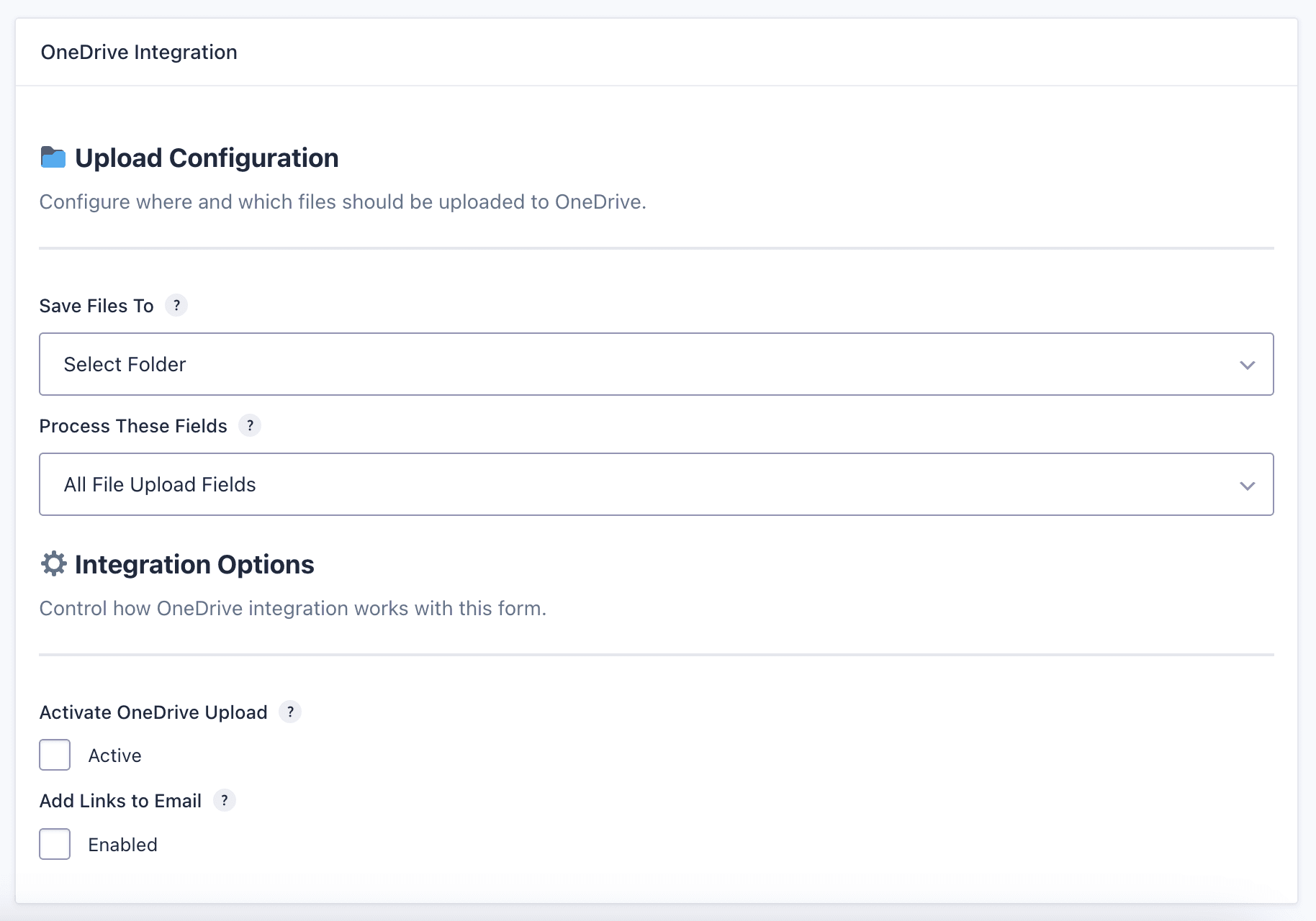
- Seamless File Upload to OneDrive with folder selection
- Integration with Gravity Forms conditional logic
- Seamless integration with GravityForms
- Advanced customization options
- Professional support included
- Regular updates and improvements
Technical Specifications
Architectural
Overview
Frequently Asked Questions
How do I install and activate Gravity Forms Integrate OneDrive Plugin?
Upload the plugin ZIP file via your WordPress admin under Plugins → Add New → Upload Plugin, then enter your GravityHive license key to activate automated updates.
Does Gravity Forms Integrate OneDrive Plugin require any third-party SaaS middleware?
No. All GravityHive solutions execute directly within your WordPress runtime. There are zero recurring per-task fees, third-party webhook limits, or external server dependencies.
What is the refund and warranty policy for Gravity Forms Integrate OneDrive Plugin?
GravityHive offers a 30-day risk-free money-back guarantee. If you encounter any technical issues our engineering team cannot resolve, you receive a prompt 100% refund.
Related
Plugins
View AllWooCommerce Brand Ambassador & Top Customer Leaderboard Pro
Opt-in customer leaderboard showcasing top monthly buyers and affiliate ambassadors.
WooCommerce AI High-CTR Meta Titles & Descriptions Pro
Generates high-ranking, high-CTR meta titles and descriptions optimized for Google SERP.
WooCommerce Customer GDPR Personal Data Export Pro
Automated customer self-service personal data export and account erasure portal.